
Education
Experiment AI Lip Syncing for Educational Content to be More Engaging with Pippit

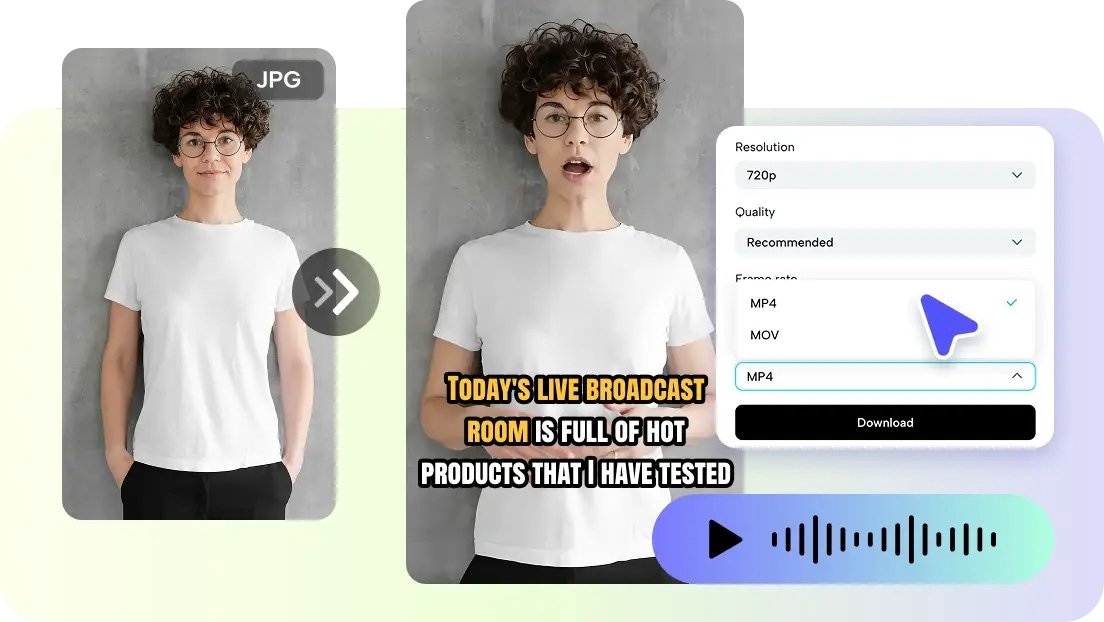
Online education has dramatically changed the way we learn, share, and consume knowledge and information. From educational courses, tutorials, and corporate training videos to educational resources for classroom learning, online education is growing exponentially. But one thing remains constant: how to keep the audience engaged enough to learn.
Long texts, presentations, and educational resources are not engaging enough in this fast-paced, technology-driven world. That’s where lip sync AI can be a game-changer in the educational landscape by converting text into talking avatars that visually present educational explanations.
With tools like Pippit, anyone can easily create lip-synced educational videos featuring talking avatars that can speak, explain, and teach the audience educational concepts. This is how educational content can be made engaging, human, and easy to learn.
Why visual storytelling is important in the learning process
The human brain can process visual and audio information faster than plain text. Watching someone explain something and listening to them speak can greatly enhance the learning process.
Talking avatars assist in the simulation of the feeling of the presence of a teacher or instructor in asynchronous learning environments. Instead of simply reading the content, the students feel as if they are being guided through the learning content.
Elements that make lip-synced learning content effective
-
Visual presenter that explains the concepts clearly
-
Use of narration with visual aids
-
Shorter content to maintain the interest of the students
-
Use of natural facial expressions that make the content feel personal
These aspects assist the students in staying focused and learning the content effectively.
Turning traditional lessons into interactive video learning
Conventional learning content is mostly in the form of slides, textbooks, or written content. Although these forms of content can be effective learning aids, they seem less engaging compared to interactive video learning content.
Lip-synced avatar videos can be used to make learning content interactive by adding a visual presenter that communicates with the students. Instead of the students reading the content, they can be provided with a video that has a digital instructor explaining the content.
Examples of engaging educational video formats
-
Virtual instructors teaching complex topics
-
Interactive video introductions for courses
-
Step-by-step video tutorials with talking instructors
-
Corporate Training Videos Featuring AI Presenters
These formats are conducive to a more conversational and accessible approach to learning.
Making educational content scalable with AI tools
Educational institutions, course developers, and corporate trainers face the challenge of creating a huge volume of educational content. One of the most common methods of creating educational content involves recording a presenter delivering a lesson plan. This process, however, proves to be costly and time-consuming.
Fortunately, AI tools make this process much more efficient, as they allow users to create a new educational video based on a script with just a few clicks of a button.
For instance, an AI video agent can assist educators in creating educational content more efficiently by organizing a script, images, and voice-overs into a coherent educational video. This allows educators to concentrate more on teaching while technology takes care of the more technical aspects of creating educational videos.
Turning scripts into engaging teaching avatars with Pippit
Pippit is a technology that enables educators to create engaging educational videos without recording equipment or video-editing skills. Using technology, it is now possible to create virtual teaching avatars that can easily explain educational scripts.
Pippit is a technology designed for educators to easily create engaging videos using educational scripts and turn them into talking avatars.
Step 1: Choose an avatar
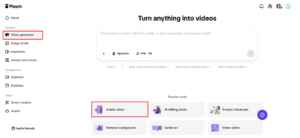
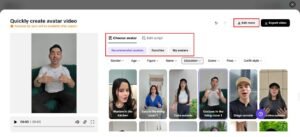
To start, log in to Pippit and click on “Video generator” on the left-hand side of the page. From the Popular tools section, click on “Avatar Video.” This video generator uses avatars and artificial intelligence to create videos with voiceovers that match lip movements. Once you click on the “Avatar Video” button, you can choose an avatar that best suits your educational content.
Step 2: Lip sync with your script
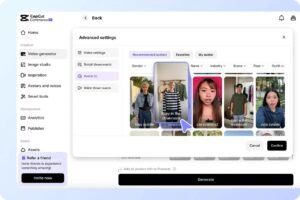
Once you click on the “Avatar Video” button, you can choose your preferred avatar from the “Recommended avatars” section. This section has filters such as gender, age, and industry that can be used to choose the best instructor style for your educational content. Once you choose your instructor style, click on “Edit script” and input your educational dialogue. The avatars can automatically lip-sync your dialogue in multiple languages, making it the best video generator for educational content that can be used across the world. Finally, once the lip syncing is done, click on ‘Edit more’ to make the necessary changes.
Step 3: Save your video
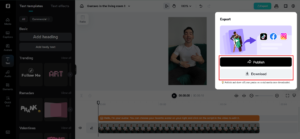
This video editing tool allows the user to change the lip sync of the video, add more elements such as text and background music, and so on. Once the video is ready, click on ‘Export,’ and the video will be downloaded. Moreover, the video can be published on various social media platforms such as TikTok, Instagram, and Facebook through the ‘Publisher’ option. The ‘Analytics’ option allows educators to track the video and improve the next lesson.
Transforming existing learning materials into videos
Educators are likely to have slides, images, or diagrams explaining a course of study.
Using the latest technology, it is now possible to animate static images and blend them with speaking avatars. This way, it is now possible to create videos using photo to video AI.
Using this technology, it is now possible for educators to utilize their existing educational resources and create more engaging video content.
Creative ways educators can use lip-sync videos
Teaching videos in lip-sync format are now opening up a variety of possibilities for educators and other course creators in the field of education.
-
Virtual lesson introduction
Educators can now use artificial intelligence instructors in the virtual classroom and introduce the students to the course.
-
Explainer video for complex topics
Topics such as science, mathematics, and technology can be explained in a much more efficient way through the use of lip-sync videos.
-
Multilingual educational content
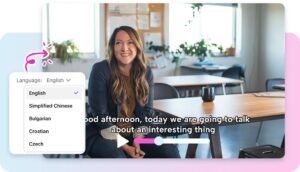
Educators can now use the lip-sync video feature and create content in various languages.
-
Corporate training modules
Talking avatars can be used for the delivery of onboarding instructions, compliance training, or professional development content.
These applications can help make the process of education more flexible.
Building stronger connections with learners through video
Despite the digital format, people tend to have a stronger connection with content that is perceived as human. A speaking avatar can be used to give the illusion that there is a real person guiding the learning content.
When students feel as though someone is explaining something directly to them, they will be more engaged and will have a better understanding of the content. This is why video content is more effective than text-based content.
As the internet continues to grow as a platform for learning, it is expected that video content will play a larger role in keeping students motivated.
Bring your educational content to life with Pippit
Every educational content developer is looking for ways to make learning content clearer, more engaging, and easier to understand. Lip-sync technology can be used as a powerful tool in the creation of learning content.
Pippit can simplify the whole process for educators as they can create professional lip-synced avatars without the need for complicated tools or recording hardware.
Are you ready to take your educational content to the next level? Get started with Pippit today and create engaging lip-sync videos for your students!


Cars7 hours ago
Mercedes-Benz GLE Coupe: Luxury SUV Features & Review

Cars7 hours ago
Commodore Sedan: Features, Performance, and Review

Others7 hours ago
Wurlitzer: History, Instruments, and Iconic Jukeboxes

Others3 months ago
Subaru WRX STI discontinued … till further notice
Others3 months ago
What could have been: The incredible experimental engines that time forgot

Entertainment2 months ago